Workspace Settings:
Organization Profile
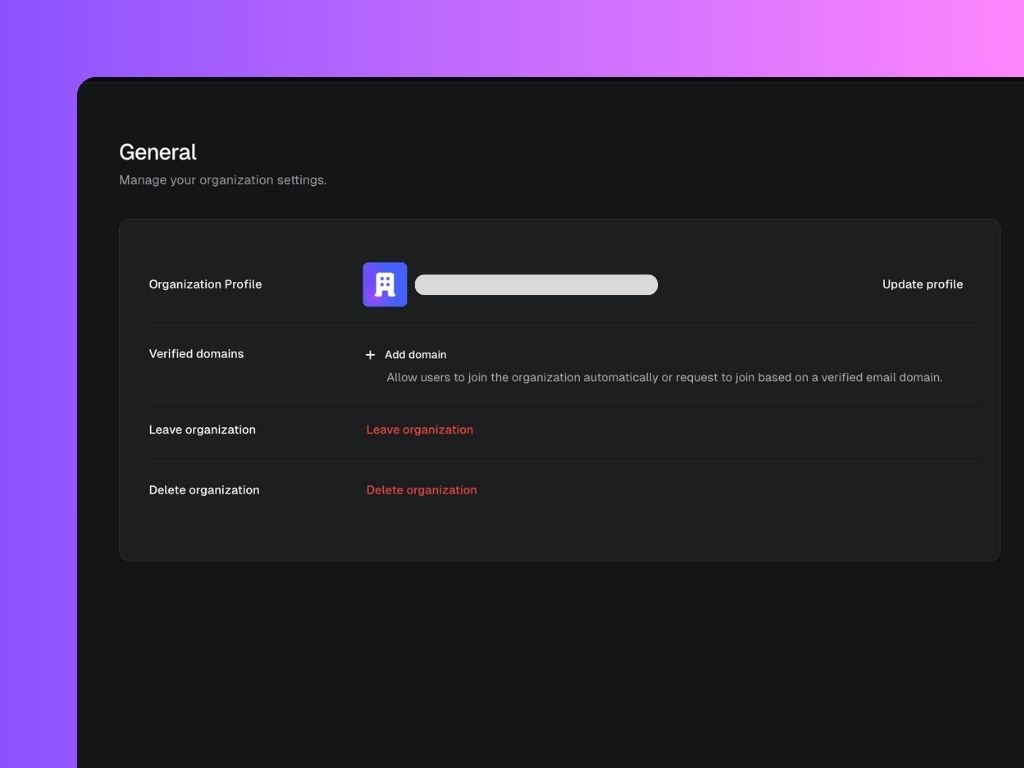
Your organization profile includes the name, logo, and unique identifier (slug) of your workspace.- Logo: Upload a custom image (recommended size: 1:1, up to 10MB) to personalize your workspace.
- Name: The display name of your workspace in Scripe.
- Slug: A unique identifier automatically generated when you create your organization. This helps Scripe distinguish your workspace from others.
Verified Domains
Adding a verified domain allows people with matching email addresses to easily request to join your workspace. For example, if you verifycompany.com, anyone with an email ending in @company.com can be recognized as part of your organization.
Leaving or Deleting an Organization
- Leave organization: Removes your personal account from the organization. You will no longer have access to its workspaces, brands, or content.
- Delete organization: Permanently deletes the organization and all of its data from Scripe.
How to Switch Workspaces 🔄
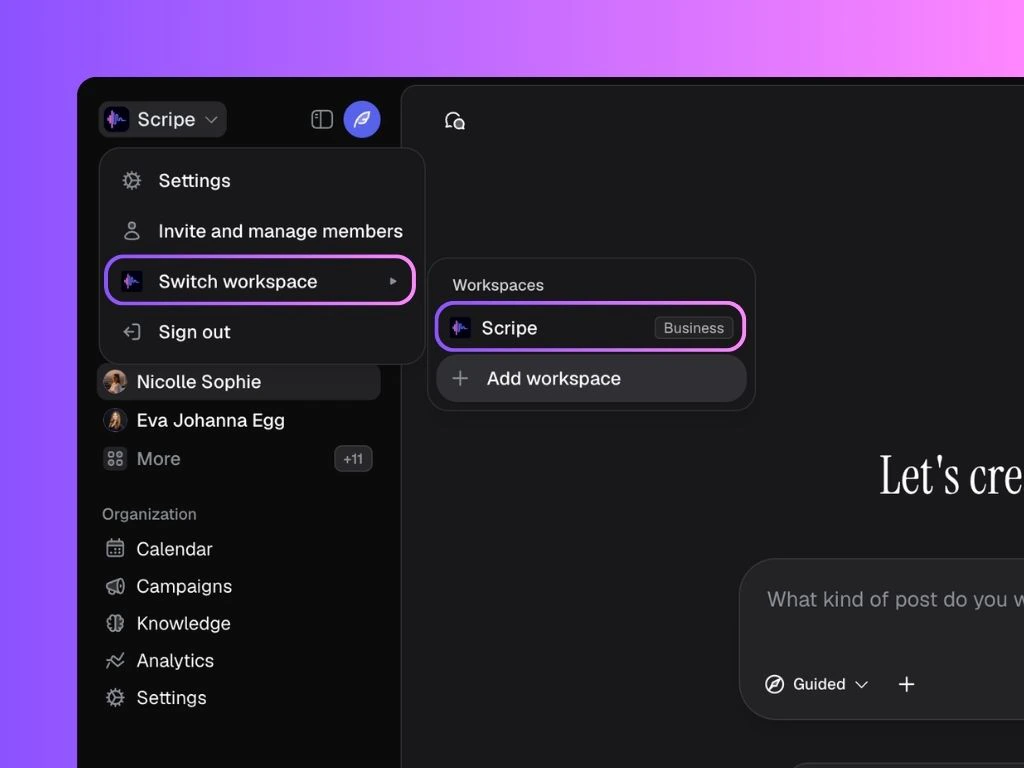
If you’re in an Agency plan and have more than one workspace set up, this is how you switch between workspaces:- Click your profile icon in the top-left corner of Scripe.
- Select “Switch workspace.”
- A menu will appear showing all the workspaces you belong to.
- Click on the workspace you want to enter.