

In Scripe, a Personal Brand refers to the LinkedIn profile you manage through the platform. You can manage multiple Personal Brands on the Advanced and Business plan, and a single Personal Brand in the Solo Plan.
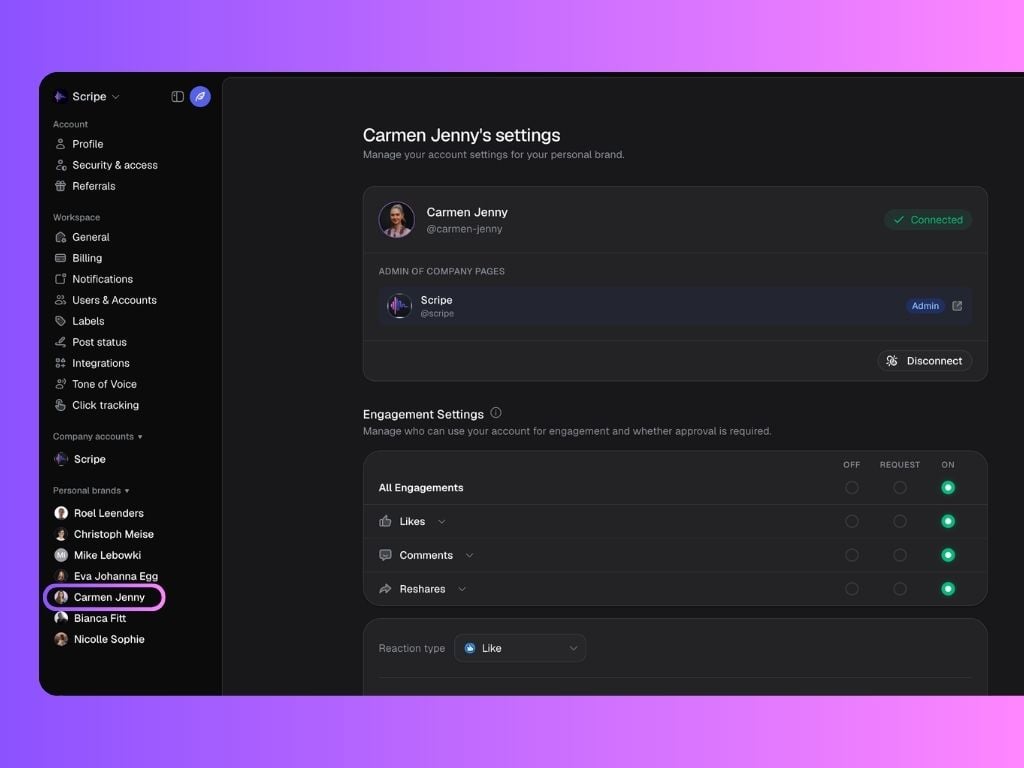
LinkedIn Connection
This section displays the LinkedIn profile connected to your personal brand, along with any Company Pages where this profile has admin access. You can also manage your connections here at any time by clicking Connect or Disconnect.Scripe is currently one of the only LinkedIn content platforms that is an Official LinkedIn API Partner — meaning your account connection is handled through LinkedIn’s official infrastructure, making it significantly more stable, secure, and future-proof than browser-extension-based tools.
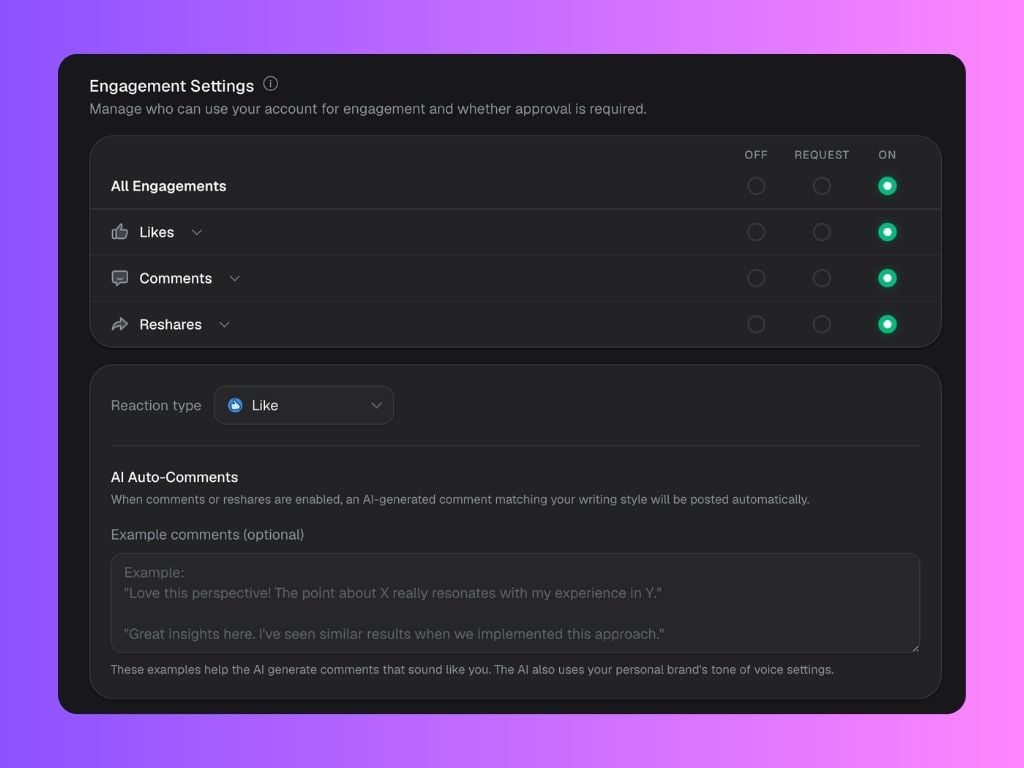
Engagement Settings
Control how other workspace members can use your account for likes, comments, and reshares via the auto-engagement feature.This feature is only available on the Advanced and Business Plans.
- On → automatically performed
- Request → require approval before engaging
- Off → completely disabled
- Reaction Type for likes
- AI Auto-Comments to match your tone of voice
- Example comments to help Scripe generate more natural, personalized engagement
Upload Images to train AI
This section allows you to upload photos so Scripe can generate AI-powered personal branding images. How it works:- Upload 10–20 images to continue
- Supported formats: .png, .jpg, .jpeg
- Maximum size: 10 MB per image
- The quality of your uploaded photos directly affects the quality of the generated images
- Photos are not permanently stored
- Images uploaded for training are deleted automatically once training is complete
WhatsApp Connections
Connect WhatsApp to send voice or text memos straight into Scripe. It’s the fastest way to capture ideas and turn them into content. A device can only be connected to one Personal Brand at a time. Here you can add or delete your current WhatsApp Connections.Delete Personal Brand
- You can permanently delete your personal brand and all associated data.
- To proceed, click the Delete personal brand button.
Warning: This action cannot be undone.
To permanently delete your Scripe account, go to Settings → Security and follow the deletion steps. This action cannot be undone.