Connect your Scripe workspace with Slack! Here’s how :)
Manage your Notifications
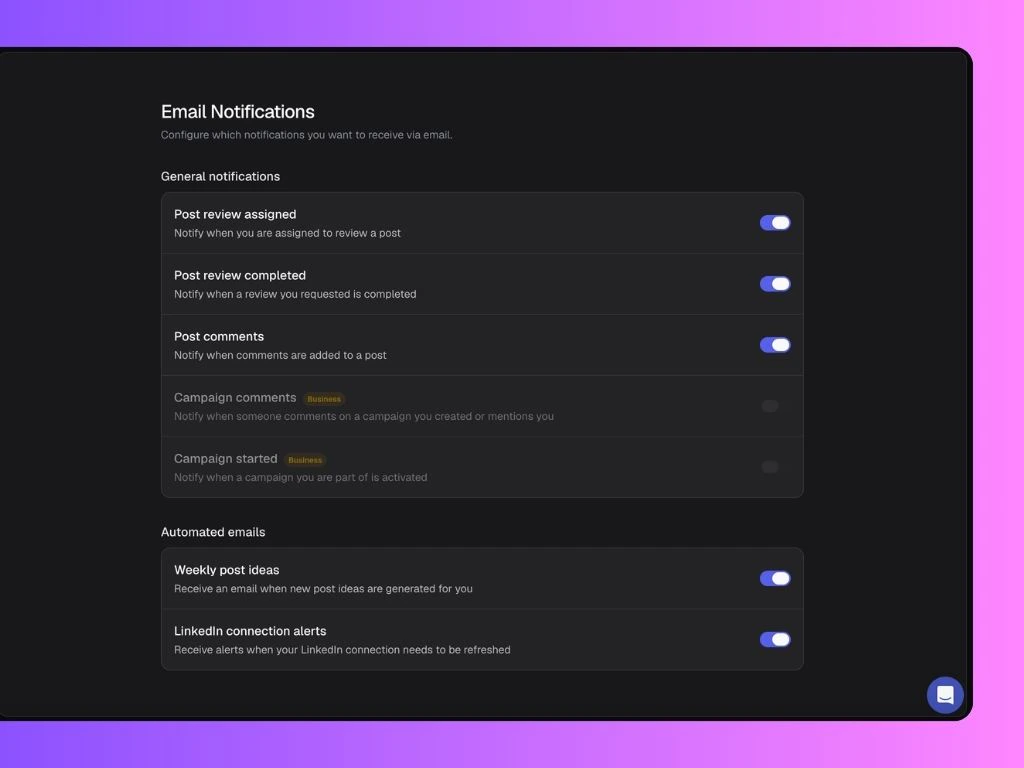
Click Email and/or Slack to access and customize which alerts you’d like to receive from your Scripe workspace: General Notifications include:- Post review assigned: Get notified when you’re asked to review a post.
- Post review completed: Get notified when someone completes a review you requested.
- Post comments: Get notified when someone leaves a comment on a post.
- Campaign comments: Get notified when someone comments on a campaign you created or mentions you (Business only).
- Campaign started: Get notified when a campaign you are part of is activated (Business only).
- Engagement requests (Slack only): Get notified when someone requests engagement on a post.
- Weekly post ideas: Receive an email when new post ideas are generated for you.
- LinkedIn connection alerts: Receive alerts when your LinkedIn connection in Scripe needs to be refreshed.